Why Operating System Selection Matters More Than Ever
An operating system (OS) serves as the fundamental software layer that manages hardware resources, executes applications, and provides the user interface through which people interact with computers. While often taken for granted, the choice of operating system profoundly impacts organizational productivity, total cost of ownership, security posture, and long-term scalability.
In 2026, the operating system landscape has matured into distinct ecosystems, each optimized for different use cases. Microsoft Windows 11 continues to dominate enterprise and gaming markets with broad hardware compatibility and extensive software support. Apple's macOS Sonoma offers premium integration within creative industries and educational institutions invested in the Apple ecosystem. Ubuntu and other Linux distributions provide open-source flexibility particularly valued by developers, researchers, and cost-conscious organizations. ChromeOS has evolved from a basic web-browser platform into a viable solution for educational institutions and businesses embracing cloud-first strategies.
Selecting the wrong operating system can result in compatibility issues, security vulnerabilities, unnecessary licensing costs, inadequate performance, and user frustration. Conversely, choosing the right OS aligns technology infrastructure with organizational workflows, budgetary constraints, and strategic objectives. This guide provides the analytical framework necessary to make informed decisions about operating system deployment across diverse organizational contexts.
Overview of Each Operating System
Microsoft Windows 11
Windows 11 represents Microsoft's latest desktop operating system, launched in 2021 and continuously refined through regular feature updates. It runs on a vast array of hardware from manufacturers including Dell, HP, Lenovo, ASUS, Acer, and Microsoft's own Surface line. Windows 11 features a redesigned interface with centered taskbar icons, improved virtual desktop management, native support for Android applications through the Microsoft Store, and enhanced gaming capabilities through DirectX 12 Ultimate and Auto HDR.
The OS requires relatively modern hardware specifications including TPM 2.0 security chips and UEFI firmware, which has created compatibility challenges for older systems but improves baseline security. Windows 11 dominates global desktop market share at approximately 65-70%, ensuring maximum software compatibility and broad IT support knowledge.
macOS Sonoma
macOS Sonoma (version 14) is Apple's operating system exclusively designed for Mac computers, including the MacBook Air, MacBook Pro, iMac, Mac mini, Mac Studio, and Mac Pro. Released in 2023, Sonoma emphasizes continuity features with iPhone and iPad, enhanced video conferencing capabilities through new presenter overlays and reactions, interactive desktop widgets, and improved gaming performance through the Game Porting Toolkit.
macOS benefits from Apple's vertical integration of hardware and software, resulting in optimized performance, energy efficiency, and seamless ecosystem integration. The transition to Apple Silicon (M1, M2, M3, and M4 processors) has dramatically improved performance-per-watt ratios while maintaining compatibility with Intel-based applications through Rosetta 2 translation technology.
Ubuntu
Ubuntu is a Linux-based operating system developed by Canonical, representing the most popular desktop Linux distribution with an estimated 40% share of the Linux desktop market. Available in long-term support (LTS) releases maintained for five years and standard releases with nine-month support cycles, Ubuntu offers stability, security, and flexibility for technical users.
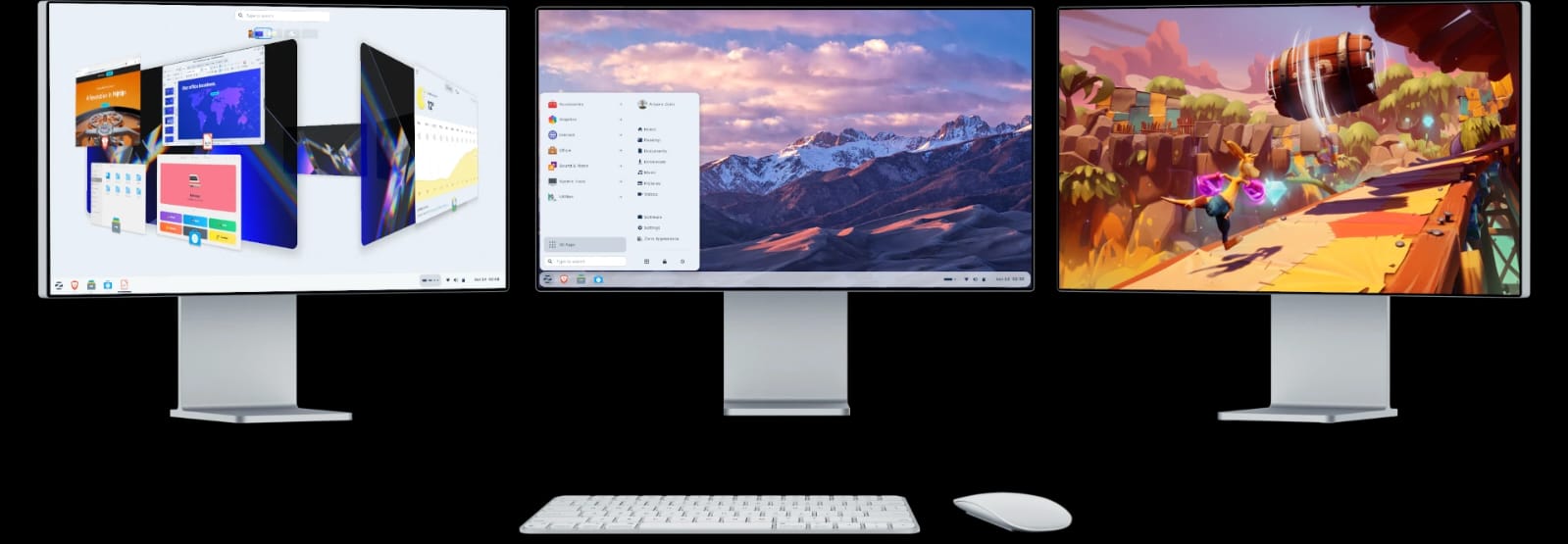
Ubuntu runs on virtually any hardware configuration, from legacy systems to cutting-edge workstations, and supports diverse architectures including x86, ARM, and RISC-V. The default GNOME desktop environment provides a modern, intuitive interface, while alternative variants like Kubuntu (KDE Plasma), Xubuntu (XFCE), and Ubuntu MATE offer different user experience philosophies. Ubuntu Server editions power significant portions of cloud infrastructure, web hosting, and enterprise data centers worldwide.
ChromeOS
ChromeOS is Google's Linux-based operating system designed primarily for Chromebooks manufactured by partners including HP, Lenovo, Acer, ASUS, and Samsung. Originally conceived as a browser-centric platform for cloud computing, ChromeOS has evolved to support Android applications from the Google Play Store, Linux application containers through Crostini, and progressive web applications.
ChromeOS emphasizes simplicity, security, and rapid boot times, typically starting in under 10 seconds. The operating system automatically updates in the background, requires minimal maintenance, and features sandboxed application architecture that limits malware infection vectors. Enterprise and education editions offer centralized management through Google Admin console, allowing IT administrators to configure policies, deploy applications, and monitor device fleets remotely.
Cost Comparison: Total Cost of Ownership Analysis
Operating system costs extend far beyond initial licensing fees, encompassing hardware expenses, maintenance overhead, training requirements, and long-term upgrade pathways.
Windows 11 requires licensing for each device, with costs varying by edition and procurement channel. Windows 11 Home retails around $139, while Windows 11 Pro costs approximately $199 per license. Enterprise and Education editions typically fall under volume licensing agreements with per-device or per-user pricing models. Organizations already using Windows 10 may qualify for free upgrades if hardware meets Windows 11 requirements, though many older systems require replacement. Hardware costs range broadly from $300 budget laptops to $3,000+ workstations. Annual maintenance including updates, security patches, and IT support represents significant ongoing investment, though Microsoft's mature ecosystem means widely available expertise.
macOS Sonoma licensing is included with Mac hardware purchases, eliminating separate OS licensing costs. However, Mac hardware carries premium pricing, with entry-level MacBook Air starting around $1,099, MacBook Pro models ranging from $1,599 to $6,999, and desktop systems spanning $699 (Mac mini) to $7,999+ (Mac Studio and Mac Pro with upgrades). The higher upfront investment often translates to longer device lifecycles due to superior build quality and extended software support. Apple typically supports Macs with new OS versions for approximately seven years, reducing replacement frequency. Maintenance costs are relatively low due to integrated hardware-software design, though repairs require authorized service providers and proprietary components increase repair expenses.
Ubuntu is completely free for download, installation, and use, including commercial deployment without licensing fees. This represents substantial cost savings for organizations deploying hundreds or thousands of devices. Hardware costs match the broadest market range since Ubuntu runs efficiently on commodity hardware, refurbished systems, and cutting-edge equipment alike. A functional Ubuntu workstation can be assembled for under $200 using refurbished components, while high-performance development machines may cost $2,000-$4,000. Long-term maintenance costs depend heavily on internal Linux expertise—organizations with skilled Linux administrators benefit from powerful scripting, automation, and remote management capabilities, while those lacking Linux knowledge may face steeper learning curves and potentially higher support costs. However, Ubuntu's stability and security minimize maintenance interventions compared to some alternatives.
ChromeOS licensing follows a similar model to macOS—the OS itself is free, but organizations typically purchase Chromebook hardware bundled with optional management licenses. Chromebook hardware ranges from $200 education-focused models to $1,200 premium devices for business use. Google charges annual ChromeOS management licenses around $30-$50 per device for enterprise customers requiring centralized policy management, though education institutions often receive significant discounts or complimentary management services. The extremely low maintenance overhead represents ChromeOS's most compelling economic advantage—automatic updates, malware resistance, and simplified troubleshooting dramatically reduce IT support requirements. Organizations frequently report 70-80% reductions in support ticket volumes after transitioning from Windows to ChromeOS in appropriate use cases.
Total cost of ownership analysis must consider not just initial expenses but five-year projections including hardware refresh cycles, software licensing, IT staffing, security tools, and productivity impacts. For many educational institutions and businesses with cloud-centric workflows, ChromeOS delivers the lowest TCO. Organizations requiring specialized software may find Windows's broader compatibility outweighs higher support costs. Creative professionals often justify macOS premium pricing through superior application performance and ecosystem integration. Budget-conscious technical organizations frequently achieve optimal economics with Ubuntu deployments.
Security & Privacy: Threat Landscapes and Protection Mechanisms
Operating system security encompasses vulnerability management, malware protection, privacy controls, and compliance capabilities—critical considerations for organizations handling sensitive data or facing regulatory requirements.
Windows 11 inherits decades of security evolution driven by its position as the primary target for malware authors. Microsoft has implemented significant hardening measures including mandatory TPM 2.0 hardware encryption, secure boot requirements, Windows Defender Antivirus with real-time protection, SmartScreen anti-phishing, controlled folder access against ransomware, and Windows Hello biometric authentication. Enterprise editions offer BitLocker full-disk encryption, Windows Defender Application Control for application whitelisting, and Microsoft Defender for Endpoint for advanced threat detection.
Despite these improvements, Windows remains the most frequently exploited operating system due to market dominance and legacy compatibility requirements. The March 2024 Midnight Blizzard breach demonstrated ongoing nation-state interest in Windows infrastructure. Organizations must maintain rigorous patch management disciplines, as Microsoft releases security updates monthly ("Patch Tuesday") with occasional out-of-band emergency patches. Windows's extensive configurability creates security complexity—improperly configured systems present substantially larger attack surfaces than properly hardened installations.
macOS Sonoma benefits from Unix-based architecture, smaller market share reducing attacker interest, and Apple's controlled hardware ecosystem. Built-in protections include Gatekeeper application verification, XProtect anti-malware scanning, sandboxed application architecture limiting damage from compromised apps, System Integrity Protection preventing modification of critical system files, FileVault full-disk encryption, and Privacy Preferences allowing granular control over application permissions.
macOS maintains a strong security reputation, though recent years have seen increasing sophistication in Mac-targeted malware as market share grows. Apple's approach to privacy generally exceeds competitors, with minimal telemetry collection, on-device processing for sensitive operations, and App Tracking Transparency requiring explicit user consent for cross-application tracking. Security updates deploy automatically or with user approval, typically with faster adoption rates than Windows due to smaller hardware diversity. The closed ecosystem limits customization but reduces misconfiguration risks.
Ubuntu inherits Linux's fundamental security advantages including privilege separation, discretionary access controls, and transparent open-source code subject to community scrutiny. Ubuntu-specific security features include AppArmor mandatory access control, Uncomplicated Firewall (UFW), unattended-upgrades for automatic security patching, and full-disk encryption during installation. Canonical provides Ubuntu Pro subscriptions offering extended security maintenance, kernel livepatch for security updates without rebooting, and compliance certifications for regulated industries.
Linux systems generally experience fewer malware infections than Windows, partly due to smaller desktop market share but primarily because of architectural design. The requirement for explicit privilege escalation and the lack of a single dominant software distribution mechanism reduce infection vectors. However, server-side Linux systems face substantial attack pressure, and desktop Linux users must maintain security awareness regarding repository trust and software sources. Ubuntu's six-month release cycle with LTS versions every two years provides stability while incorporating security improvements. Organizations using Ubuntu typically integrate it with enterprise security frameworks including SIEM systems, vulnerability scanners, and configuration management tools.
ChromeOS implements perhaps the most aggressive security architecture of mainstream operating systems through defense-in-depth strategies. Verified boot checks system integrity at every startup, automatically recovering from tampering. Sandboxing isolates web pages, applications, and system processes from each other, preventing lateral movement during attacks. Automatic updates deploy silently in the background with seamless A/B partition switching, ensuring devices run current security patches typically within days of release—far faster than Windows or macOS patch adoption rates.
The ChromeOS security model assumes internet-connected operation with cloud-based data storage, minimizing value of device compromise. Built-in data encryption, limited local attack surface, and ephemeral user sessions make ChromeOS extremely resilient against malware, ransomware, and data theft. Enterprise deployments benefit from centralized policy enforcement preventing users from disabling security controls. The primary security consideration involves third-party Chrome extensions, which undergo Google review but occasionally contain malicious code. Organizations should implement extension whitelisting and regular security audits.
From a privacy perspective, ChromeOS's deep integration with Google services raises concerns for privacy-focused organizations. Data flows to Google infrastructure for synchronization, backup, and service delivery. While Google has improved transparency and user controls, organizations with stringent data sovereignty requirements may find ChromeOS unsuitable. Windows and Ubuntu offer greater control over data residency, while macOS provides a middle ground with strong privacy controls but ecosystem lock-in.
Performance & Hardware Requirements: Matching OS to Hardware Capabilities
Operating system performance depends on both software optimization and hardware specifications, with different systems exhibiting varying resource requirements and performance characteristics.
Windows 11 officially requires a 64-bit processor (1 GHz dual-core minimum), 4GB RAM, and 64GB storage, though practical usability demands higher specifications. Comfortable performance typically requires 8GB RAM, 256GB SSD storage, and modern Intel Core i5/AMD Ryzen 5 or better processors. Windows 11's hardware requirements represent a significant increase from Windows 10, particularly the TPM 2.0 and UEFI requirements that exclude many systems manufactured before 2018.
Performance varies considerably based on hardware quality and configuration. Windows 11 runs adequately on minimum specifications for basic productivity tasks but struggles with multitasking, large files, or resource-intensive applications. Premium hardware delivers excellent performance, with Windows efficiently utilizing high core counts, discrete GPUs, and fast NVMe storage. Gaming performance remains Windows's strongest advantage, with DirectX 12 Ultimate, native support from all major game developers, and optimization for high-refresh displays and variable refresh rate technologies.
macOS Sonoma hardware requirements vary between Intel and Apple Silicon Macs. Intel-based systems require 4GB RAM minimum (8GB recommended), while Apple Silicon Macs ship with minimum 8GB unified memory. Storage minimums start at 128GB, though professional use demands 256GB or more. macOS Sonoma supports Mac computers from approximately 2018 onward, with some features exclusive to Apple Silicon systems.
Performance on Apple Silicon represents the standout story in modern computing. M-series chips deliver exceptional performance-per-watt, with MacBook Air systems frequently outperforming Intel-based competitors while running fanless and achieving 15-20 hour battery life. Video editing, code compilation, 3D rendering, and machine learning workflows show remarkable efficiency gains on Apple Silicon. Intel-based Macs perform comparably to similar Windows systems, though the transition to Apple Silicon means Intel Mac support will gradually diminish. The unified memory architecture, where RAM is shared between CPU and GPU, delivers efficiency advantages but makes post-purchase RAM upgrades impossible, requiring careful specification at purchase time.
Ubuntu demonstrates remarkable hardware flexibility, running efficiently on systems spanning ancient to cutting-edge. Minimum requirements for Ubuntu Desktop with GNOME are officially 2 GHz dual-core processor, 4GB RAM, and 25GB storage, but Ubuntu variants with lightweight desktop environments (XFCE, LXQt) run acceptably on 2GB RAM and older hardware. This makes Ubuntu ideal for extending the life of legacy hardware or deploying cost-effective thin client infrastructure.
Performance characteristics depend heavily on hardware selection and system configuration. Ubuntu on modern hardware delivers snappy responsiveness, with fast boot times (typically 10-20 seconds to login screen on SSD), efficient multitasking, and excellent resource utilization. The absence of background telemetry, forced updates, and bundled bloatware means more system resources remain available for productive work. Professional Ubuntu workstations with high-end CPUs, abundant RAM, and professional GPUs (NVIDIA/AMD) deliver excellent performance for scientific computing, machine learning, 3D rendering, and software development. The ability to fine-tune kernel parameters, select alternative desktop environments, and eliminate unnecessary services allows expert users to optimize performance for specific workloads.
ChromeOS runs exceptionally well on modest hardware due to lightweight Linux-based architecture and cloud-centric design. Typical Chromebooks ship with Intel Celeron, Pentium, or Core processors, 4-8GB RAM, and 32-64GB eMMC or SSD storage. These specifications provide smooth web browsing, document editing, video conferencing, and educational application use—the primary ChromeOS use cases.
Performance advantages include near-instant boot times (6-10 seconds), rapid resume from sleep, and consistent responsiveness even during updates. The containerized architecture prevents application interference and system degradation over time—ChromeOS devices maintain consistent performance across their lifespan unlike Windows systems that often slow with use. However, ChromeOS shows limitations with demanding local applications, extensive multitasking (15+ tabs plus Android apps), or offline operation. High-end Chromebooks with Core i5/i7 processors and 16GB RAM deliver excellent performance for demanding users, though at that price point alternative operating systems merit consideration.
Hardware compatibility represents a final consideration. Windows supports the broadest hardware range from diverse manufacturers with extensive driver availability. macOS exclusively supports Apple hardware with occasional Hackintosh workarounds. Ubuntu supports most mainstream hardware well, though some cutting-edge components (recent NVIDIA GPUs, certain WiFi chipsets, fingerprint readers) may require additional driver installation or encounter compatibility issues. ChromeOS runs only on officially supported Chromebooks and Chromeboxes, limiting hardware choice but ensuring compatibility.
Software & Application Ecosystem: Availability and Compatibility
Application availability often determines operating system viability more than technical capabilities, as organizations depend on specific software tools for core workflows.
Windows 11 maintains the most comprehensive software ecosystem, with virtually every major commercial application, extensive legacy software support, and the largest gaming library. Business applications including Microsoft 365, Adobe Creative Cloud, Autodesk CAD software, enterprise resource planning systems, customer relationship management platforms, and industry-specific vertical applications overwhelmingly support Windows as primary or exclusive platform.
The Microsoft Store offers curated applications, though most Windows software still distributes through developer websites, making installation less streamlined than competing platforms. Windows Subsystem for Linux (WSL2) provides genuine Linux environments within Windows, enabling developers to run Linux tools alongside Windows applications—a significant advantage for development workflows. Windows's backward compatibility extends decades, allowing 32-bit applications from Windows XP era to run on modern systems (though security implications warrant scrutiny).
macOS Sonoma offers robust professional application support, particularly for creative industries. Adobe Creative Cloud, Final Cut Pro, Logic Pro, DaVinci Resolve, Affinity suite, Sketch, and numerous other design tools deliver excellent macOS performance. Software development tools including Xcode, popular text editors, terminal applications, and Unix-based development tools create productive environments for developers, particularly iOS and macOS developers who require Xcode.
The Mac App Store provides curated software distribution with security screening, though many professional applications still install independently. macOS benefits from high-quality first-party applications including Pages, Numbers, Keynote (Apple's office suite, free with new Macs), iMovie, GarageBand, and Photos. The ecosystem gap appears primarily in Windows-specific enterprise software, certain engineering applications, and gaming—macOS supports approximately 15-20% of Windows gaming library, though Apple's Game Porting Toolkit shows promise for improvement.
Ubuntu provides access to vast open-source software repositories containing thousands of applications installable through graphical Software Center or command-line apt package manager. GNOME Software and alternative app stores provide user-friendly browsing and installation. Snap packages offer containerized applications with automatic updates, while Flatpak provides another universal package format with sandboxing benefits.
For many use cases, Ubuntu offers excellent application coverage. LibreOffice provides capable office productivity compatible with Microsoft Office formats. Firefox, Chrome/Chromium deliver full-featured web browsing. GIMP, Inkscape, Krita, Blender offer capable creative tools, though professional creative industries generally standardize on Adobe/Apple ecosystems. Development tools for most programming languages, frameworks, and platforms reach Ubuntu first or simultaneously with other systems—Python, JavaScript, Go, Rust, Java, C/C++, and virtually all web technologies provide excellent Ubuntu support.
The primary limitations involve proprietary commercial software. Adobe Creative Cloud lacks native Linux versions, though some users report success with Wine compatibility layers at performance/stability cost. Microsoft Office online versions work through browsers, but native Microsoft Office remains unavailable on Linux. Many Windows-specific enterprise applications, CAD programs, and games lack Linux support. However, Steam gaming on Linux has improved dramatically through Proton compatibility layer, with thousands of Windows games now playable on Linux.
ChromeOS application ecosystem divides into three categories: web applications, Android apps, and Linux applications. Web applications accessed through Chrome browser provide the core ChromeOS experience—Google Workspace (Docs, Sheets, Slides), Microsoft 365 web apps, Canva, Figma, and countless SaaS applications work excellently. Progressive Web Apps provide app-like experiences with offline capabilities.
Android application support through Google Play Store dramatically expanded ChromeOS capabilities, adding millions of mobile apps optimized for touch interfaces. While some Android apps scale awkwardly to laptop screens, many professional applications including Microsoft Office, Adobe Creative Cloud mobile apps, Notability, and numerous educational platforms provide functional ChromeOS versions.
Linux application support through Crostini containers allows installation of traditional desktop Linux software including IDEs, development tools, GIMP, and other utilities. This remains targeted at technical users and shows some rough edges, but substantially expands ChromeOS capabilities for developers and power users.
The fundamental limitation remains that ChromeOS works best for cloud-first workflows. Organizations dependent on traditional desktop software, offline operation, or specialized local applications will find ChromeOS constraining. However, for educational institutions, businesses embracing SaaS platforms, and users comfortable with cloud-based tools, ChromeOS application ecosystem proves surprisingly capable.
Best OS for Different Users: Tailored Recommendations
Operating system selection should align with specific organizational requirements, user technical capabilities, budget constraints, and existing infrastructure.
Primary & Secondary Schools
ChromeOS emerges as the optimal choice for most K-12 educational institutions. The combination of low-cost hardware ($200-400 per device), minimal IT overhead, robust management capabilities, automatic updates, excellent security, and Google Workspace integration addresses core educational technology challenges. Teachers and students navigate ChromeOS interfaces intuitively, reducing training requirements. The extensive educational software ecosystem including Google Classroom, educational Android apps, and web-based learning platforms supports diverse pedagogical approaches.
Schools with existing Google Workspace deployments gain seamless integration, while the centralized management console enables small IT teams to support thousands of devices efficiently. Battery life typically exceeds full school days, reducing charging infrastructure requirements. Durability of education-focused Chromebooks withstands student use better than consumer laptops.
The primary limitation involves specialized software requirements—advanced computer science programs, professional design courses, or STEM courses requiring specific Windows/Mac software may need supplementary solutions. Hybrid approaches—ChromeOS for general use with specialized computer labs running Windows or macOS for specific courses—balance cost efficiency with capability requirements.
Universities & Technical Institutes
Higher education demands more heterogeneous solutions reflecting diverse academic programs. Computer science and engineering departments benefit from Ubuntu deployments, providing students genuine Linux experience essential for server administration, DevOps, cloud computing, and many development careers. Cost savings enable purchasing higher-specification systems or deploying more devices within constrained budgets.
Design, media, and arts programs typically standardize on macOS due to industry-standard creative applications and professional workflow preparation. The investment in Mac hardware and software aligns with industry tools students will encounter professionally.
Business schools and liberal arts programs often deploy Windows systems given broad commercial software compatibility and familiarity students will encounter in corporate environments. Site licensing agreements for Microsoft 365 and Windows often provide economic advantages at enterprise scale.
Many universities implement device-agnostic approaches with virtual desktop infrastructure (VDI) or computer labs providing specialized software while allowing students personal device choice. This approach maximizes flexibility while ensuring software access, though infrastructure investment and operational complexity increase.
Small Businesses
Small businesses prioritize cost effectiveness, ease of management, and compatibility with common business software. Windows 11 remains the most practical choice for most small businesses, offering Microsoft 365 integration, QuickBooks and accounting software support, industry-specific applications, and relatively low support costs given widespread IT expertise availability.
Budget-conscious small businesses with cloud-based workflows should seriously evaluate ChromeOS, which dramatically reduces IT overhead for companies lacking dedicated technical staff. Google Workspace combined with cloud accounting (QuickBooks Online, Xero), CRM (Salesforce, HubSpot), and other SaaS tools eliminates traditional desktop software dependencies while achieving substantial cost savings.
Creative agencies and design-focused businesses generally require macOS given client deliverables, creative software ecosystem, and professional workflows standardized on Apple platforms. The premium investment typically proves worthwhile given productivity implications and client presentation requirements.
Technology startups and software development companies often deploy Ubuntu on development workstations, combining cost savings with native Linux development environments matching production deployment targets. This also supports Docker containerization, Kubernetes orchestration, and cloud infrastructure development workflows more naturally than Windows environments.
Large Corporations
Enterprise deployments prioritize standardization, centralized management, security compliance, and software compatibility across diverse business units. Windows 11 Enterprise dominates large corporate environments given comprehensive management tools (Microsoft Endpoint Manager, Group Policy, Active Directory integration), broad application compatibility, extensive third-party enterprise software support, and mature security frameworks.
Large organizations typically negotiate volume licensing agreements making per-device Windows costs economical at scale. The ability to standardize hardware across thousands of employees, centralize patch management, enforce security policies, and integrate with existing infrastructure justifies Windows despite higher support costs than alternatives.
Financial services, healthcare, legal, and other regulated industries often mandate Windows due to compliance software, security auditing tools, and established workflows. Legacy application dependencies further lock enterprises into Windows environments.
However, progressive enterprises increasingly adopt mixed environments—ChromeOS for task workers, Windows for knowledge workers requiring specialized software, and macOS for creative departments. Containerized application delivery, virtual desktop infrastructure, and cloud-based SaaS platforms reduce operating system dependencies, enabling device flexibility while maintaining centralized management and security controls.
Software Developers
Developer operating system preferences depend on target platforms and personal workflow preferences, though Ubuntu and macOS dominate professional development environments outside of Windows-specific development.
Web developers, DevOps engineers, cloud architects, and backend developers overwhelmingly prefer Ubuntu or other Linux distributions. Development tools, frameworks, and deployment targets center on Linux environments, making native Linux development far more efficient than Windows-based alternatives. Package managers (apt, snap), containerization tools (Docker), orchestration platforms (Kubernetes), and scripting environments work most naturally on Linux. The ability to replicate production environments locally prevents deployment surprises and enables efficient debugging.
macOS provides an excellent middle ground, offering Unix-based terminal environments similar to Linux while providing commercial application support, superior hardware, and integration with Apple device testing for iOS/macOS development. Many developers appreciate the combination of Unix power-user capabilities and consumer-friendly interface. Front-end developers and full-stack developers working across mobile and web platforms frequently choose macOS.
Windows remains essential for .NET development, Windows desktop application development, Xbox game development, and organizations standardized on Microsoft development stacks. Windows Subsystem for Linux (WSL2) has substantially improved Windows developer experience for cross-platform development, enabling Linux tools within Windows environments. However, most developers outside Windows-specific ecosystems prefer native Linux or macOS development environments.
Graphic Designers & Video Editors
Creative professionals working in design, video production, photography, and related fields overwhelmingly standardize on macOS. Industry-standard creative applications including Adobe Creative Cloud, Final Cut Pro, Logic Pro, Cinema 4D, and numerous plugins and extensions optimize for macOS. Professional workflows, asset handoffs, and client deliverables assume macOS compatibility. Color accuracy, display quality, and hardware-software integration advantages make MacBook Pro and iMac systems preferred tools.
The investment in Mac hardware ($2,000-6,000+ for professional configurations) represents a business cost of remaining competitive and compatible with industry standards. While Adobe Creative Cloud technically supports Windows, many creative professionals report superior stability, performance, and workflow integration on macOS.
Budget-conscious freelancers and small studios may deploy Windows workstations with Adobe Creative Cloud, particularly for 3D rendering, motion graphics, and video production where hardware price-performance ratios favor Windows systems with discrete NVIDIA GPUs. However, compatibility concerns when exchanging files with macOS-based clients and service bureaus complicate pure Windows workflows in creative industries.
Ubuntu and Linux options remain niche in professional creative markets despite capable open-source alternatives (GIMP, Inkscape, Krita, DaVinci Resolve, Blender). The learning curve transitioning from industry-standard Adobe tools and file compatibility challenges prevent widespread adoption. However, 3D artists, VFX professionals, and animation studios increasingly embrace Linux given render farm economies and DaVinci Resolve/Blender professional-grade capabilities.
Government Institutions
Government technology procurement emphasizes security, long-term supportability, compliance with regulations, accessibility requirements, and increasingly, data sovereignty and open standards. Requirements vary substantially by country, jurisdiction, and agency mission.
Many government agencies standardize on Windows given established procurement relationships with Microsoft, comprehensive security certifications (FedRAMP, FISMA, Common Criteria), accessibility compliance, and workforce familiarity. The ability to deploy multifactor authentication, full-disk encryption, application whitelisting, and integration with government-specific security frameworks supports compliance requirements. Long-term support contracts ensure security patching and support throughout hardware lifecycles.
However, growing numbers of government organizations explore open-source alternatives for cost savings, vendor independence, and data sovereignty concerns. European governments including France, Germany, Spain, and Italy have deployed thousands of Ubuntu and other Linux systems across agencies, achieving substantial licensing cost reductions while maintaining control over systems and data. Munich's high-profile migration to Linux (later partially reversed due to political factors rather than technical failures) demonstrated both opportunities and challenges in large-scale open-source government adoption.
Educational government institutions increasingly deploy ChromeOS given overwhelming cost advantages, security benefits, and management efficiency. State and district-level educational agencies support ChromeOS infrastructure for thousands of schools, achieving unprecedented device-to-student ratios within tight budget constraints.
High-security agencies with classified computing requirements often deploy specialized hardened operating systems based on Linux (e.g., Red Hat Enterprise Linux, SUSE Linux Enterprise) given transparency of open-source code, ability to audit security implementations, and customization capabilities supporting national security requirements. The United States Department of Defense, intelligence community, and defense contractors extensively use Linux in classified environments.
Home & Casual Users
Home users prioritize ease of use, entertainment capabilities, personal productivity, and family-friendly features over enterprise considerations.
ChromeOS suits families seeking simple, secure computing for web browsing, video streaming, email, basic productivity, and educational uses. The inability for family members to install malware, automatic security updates, and minimal maintenance requirements make ChromeOS ideal for non-technical households. Cost efficiency enables purchasing multiple devices for family members rather than shared computers.
Windows 11 remains the mainstream choice for home users given gaming capabilities, broad software compatibility, and familiarity. Home users with existing Windows experience transition easily to Windows 11, and compatibility with printers, peripherals, and consumer electronics generally proves seamless. Gaming enthusiasts require Windows for access to comprehensive gaming libraries, VR support, and hardware compatibility with gaming peripherals.
macOS appeals to users invested in Apple ecosystems with iPhones, iPads, and other Apple devices. Continuity features including Handoff, AirDrop, Universal Clipboard, and iCloud synchronization create seamless experiences across devices. Home users valuing design aesthetics, build quality, and simplified computing experiences often find Mac premium pricing justified by user experience and longevity. The absence of malware concerns and minimal maintenance requirements particularly appeal to less technical users.
Ubuntu suits technically curious home users comfortable with learning curves and community support forums. Enthusiasts interested in open-source philosophy, privacy-conscious users skeptical of corporate data collection, and tinkerers who enjoy customization and control over computing environments find Ubuntu rewarding. The ability to revive aging computers with efficient Linux distributions extends hardware lifecycles and provides educational opportunities for learning system administration and programming.
Comparative Analysis
Understanding the relative strengths and limitations of each operating system enables informed decision-making aligned with organizational priorities.
Windows 11 delivers unmatched software compatibility spanning decades of legacy applications through modern Universal Windows Platform apps, making it the safe choice for organizations with diverse software requirements. Enterprise management tools provide comprehensive centralized control suitable for large organizations. Gaming capabilities exceed all competitors. However, Windows requires higher hardware specifications than alternatives, experiences more frequent malware targeting despite security improvements, and generates higher IT support costs given complexity and patch management requirements. Licensing costs accumulate across device fleets, though volume agreements mitigate expenses at scale.
macOS Sonoma provides exceptional user experience through hardware-software integration that competitors struggle to match. Security architecture and privacy protections exceed industry norms. Creative professional applications work optimally on macOS, making it essential for design industries. Longevity of hardware and extended software support reduce replacement frequency. Apple Silicon performance and efficiency leads the industry. However, premium hardware pricing creates budget barriers, hardware upgrade and repair options limit flexibility, software selection constraints exclude some applications, and Apple ecosystem lock-in reduces platform independence.
Ubuntu offers zero licensing costs creating immediate budget advantages that compound across device fleets. Stability, security, and performance on diverse hardware deliver technical excellence. Customization possibilities enable optimization for specific workflows. Privacy and open-source transparency appeal to security-conscious organizations. Extensive development tool support makes Ubuntu ideal for technical teams. However, the learning curve for users transitioning from Windows/macOS creates training costs, compatibility gaps exist for proprietary commercial software, and organizations require Linux expertise for optimal administration and support.
ChromeOS achieves the lowest total cost of ownership through inexpensive hardware, minimal IT overhead, automatic maintenance, and simplified management. Security architecture prevents most malware and security incidents. Extremely fast boot times and consistent performance create responsive user experiences. Google Workspace integration streamlines collaboration. Educational software ecosystem comprehensively supports K-12 requirements. However, offline capabilities remain limited compared to traditional operating systems, specialized local software compatibility constrains use cases, dependence on Google services raises privacy questions for some organizations, and limited customization restricts power users.
Organizations frequently discover that no single operating system optimally serves all use cases, leading to mixed environments aligned with specific departmental or role requirements while accepting additional management complexity.
Future Trends in Operating Systems: Emerging Directions
Operating system evolution continues accelerating driven by cloud computing maturation, artificial intelligence integration, hardware innovations, and changing computing paradigms.
Artificial intelligence integration represents the most significant near-term transformation. Microsoft has embedded Copilot AI assistants throughout Windows 11, providing natural language system control, content generation, and intelligent assistance. Windows 12, rumored for late 2024 or 2025, reportedly centers on AI-first experiences with pervasive language models supporting system operation, application interaction, and productivity enhancement. Apple introduced Apple Intelligence across its operating systems, leveraging on-device machine learning for privacy-preserving AI features including writing assistance, image generation, and intelligent notifications. Google's ChromeOS increasingly incorporates Gemini AI capabilities for similar purposes.
These AI integrations raise questions about data privacy, computational requirements, and user agency. Organizations must evaluate whether cloud-processed AI assistance conflicts with data governance requirements and whether on-device AI models demand hardware refreshes that accelerate replacement cycles.
Cloud computing continues reshaping traditional local-first computing paradigms. Microsoft Azure Virtual Desktop and Windows 365 Cloud PC deliver Windows environments from cloud infrastructure, decoupling operating systems from physical devices. Google's ChromeOS proves cloud-first viability for many use cases. Apple's iCloud integration increasingly blurs lines between local and cloud storage. This trend enables device flexibility, work-from-anywhere capabilities, and reduced local hardware requirements, though bandwidth, latency, and offline operation concerns persist.
Subscription licensing models replace perpetual licensing across the industry. Microsoft shifted to Microsoft 365 subscriptions bundling operating system usage rights, productivity applications, and cloud storage. Adobe transitioned to Creative Cloud subscriptions. While controversial, subscriptions provide vendors predictable revenue while delivering continuous updates to customers. Organizations must evaluate whether subscription costs over multi-year periods exceed traditional perpetual licensing economics.
Hardware innovations including ARM processor adoption, AI accelerator integration, and modular computing form factors influence operating system development. Windows on ARM slowly matures, though x86 emulation performance gaps persist. Apple's ARM transition with Apple Silicon demonstrates performance possibilities. AI acceleration through neural processing units (NPUs) enables on-device machine learning, reducing cloud dependencies for privacy-sensitive AI applications.
Virtualization and containerization technologies increasingly abstract applications from underlying operating systems. Docker containers, Kubernetes orchestration, and WebAssembly enable application portability across Windows, macOS, and Linux. Browser-based applications further reduce operating system dependencies. These trends suggest diminishing importance of operating system selection for software compatibility, though native applications retain performance and integration advantages.
Quantum computing, neuromorphic computing, and other experimental computing paradigms will eventually require new operating system architectures, though mainstream impact remains years or decades away.
Privacy regulations including GDPR, CCPA, and emerging data protection laws worldwide increasingly influence operating system design. Users demand transparency about data collection, control over telemetry, and alternatives to surveillance capitalism business models. Open-source operating systems benefit from transparency advantages, while commercial vendors balance business interests against privacy concerns.
The operating system landscape ten years hence may look quite different, with AI assistants fundamentally mediating human-computer interaction, cloud-native architectures dominating enterprise computing, and hardware diversity spanning traditional computers, extended reality headsets, and novel form factors. Yet core operating system responsibilities—managing hardware resources, providing security boundaries, executing applications, and enabling user interaction—will persist across technological evolution.
Final Recommendations: Decision Framework for 2026 and Beyond
Selecting optimal operating systems requires balancing technical capabilities, total cost of ownership, user requirements, existing infrastructure, and strategic direction within organizational constraints.
For educational institutions, ChromeOS typically delivers maximum value through lowest TCO, simplified management, appropriate security, and comprehensive educational software support. Schools should deploy ChromeOS as default with supplementary Windows or macOS computer labs supporting specialized courses. Universities and technical colleges benefit from diversified deployments aligned with academic program requirements—Ubuntu for computer science, macOS for creative programs, Windows for business schools.
For businesses, assessment begins with existing infrastructure and software dependencies. Organizations deeply invested in Microsoft ecosystems or requiring specialized Windows applications should standardize on Windows 11 Enterprise with comprehensive management solutions. Businesses embracing cloud-first strategies with SaaS applications should evaluate ChromeOS for cost savings and management efficiency. Creative agencies and design-focused businesses require macOS given industry standards. Technology companies and software development organizations should provide developer choice among Ubuntu, macOS, and Windows based on project requirements and personal productivity preferences.
For government institutions, security, compliance, and long-term supportability guide selection. Windows Enterprise meets compliance requirements for most agencies given established certification programs, though open-source alternatives merit evaluation for cost savings and data sovereignty objectives. High-security environments benefit from Linux-based hardened operating systems providing code transparency and customization capabilities.
For individual users, personal priorities determine optimal choices. Casual users seeking simplicity should consider ChromeOS. Gamers and users with diverse software requirements benefit from Windows 11. Apple ecosystem participants and creative professionals justify macOS premium pricing. Privacy-conscious, technically-inclined users find Ubuntu rewarding despite learning curves.
Organizations should resist single-vendor lock-in where practical, maintaining flexibility to adapt to changing requirements, emerging technologies, and competitive dynamics. Cloud-based application delivery, containerization, and platform-agnostic development practices reduce operating system dependencies over time.
Pilot deployments testing operating systems with representative user groups before large-scale rollouts reduce implementation risks. Change management, user training, and support infrastructure preparation prove as critical as technical operating system capabilities for successful deployments.
Total cost of ownership analysis over five-year periods, not just initial acquisition costs, reveals true economic implications. Organizations frequently discover that lower-cost alternatives deliver superior economics when support, management, security, and productivity factors receive proper weighting.
Security and privacy considerations should receive substantial emphasis given escalating cyber threats and regulatory requirements. Automatic security updates, rapid patch deployment, and defense-in-depth architectures increasingly separate leaders from laggards in operating system security.
Ultimately, optimal operating system selection aligns technology capabilities with organizational requirements, user needs, and budgetary realities. No universal "best" operating system exists—only the right fit for specific contexts. Thoughtful assessment of requirements, careful evaluation of alternatives, and evidence-based decision-making enable organizations to select operating systems that enhance productivity, control costs, and support strategic objectives throughout 2026 and the years ahead.